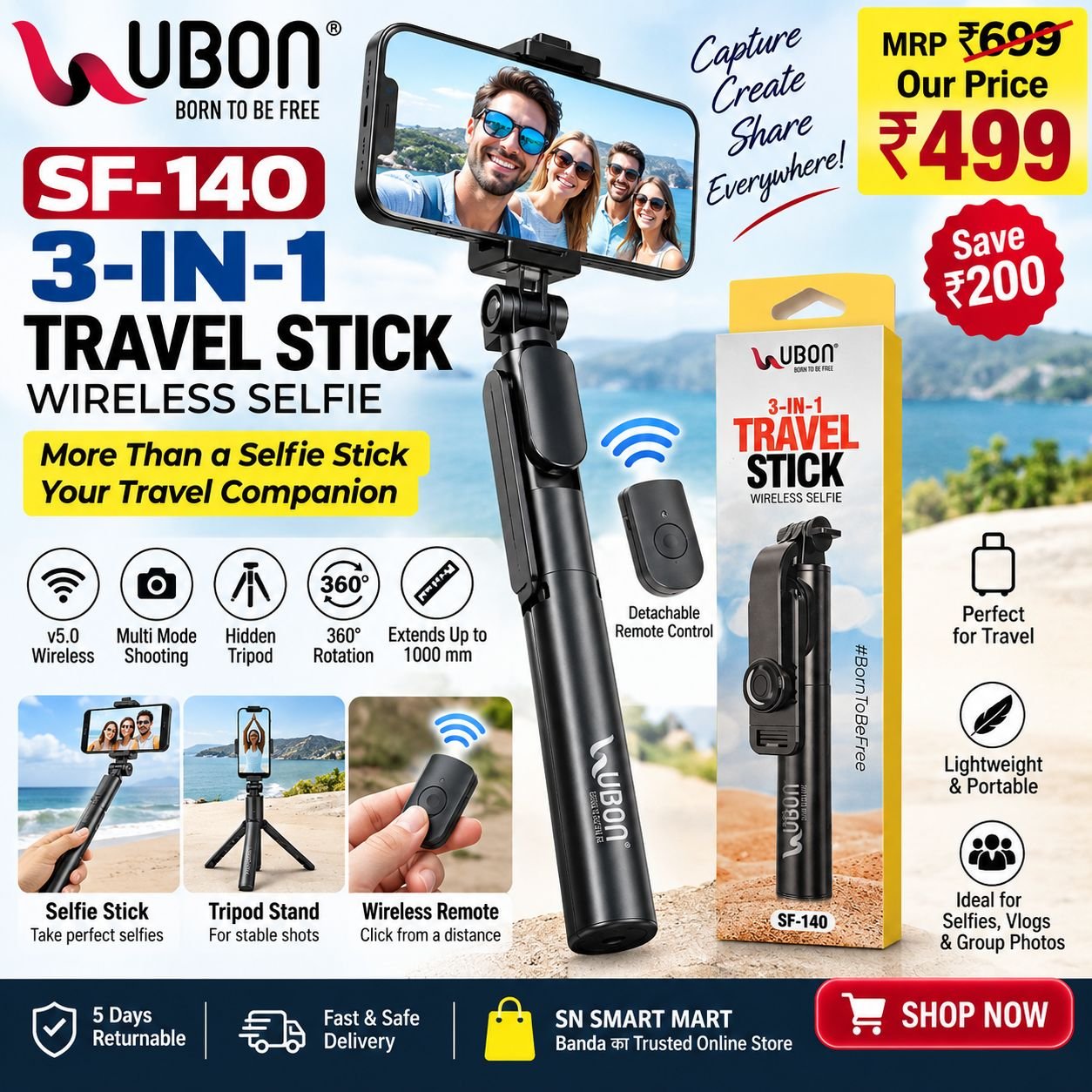
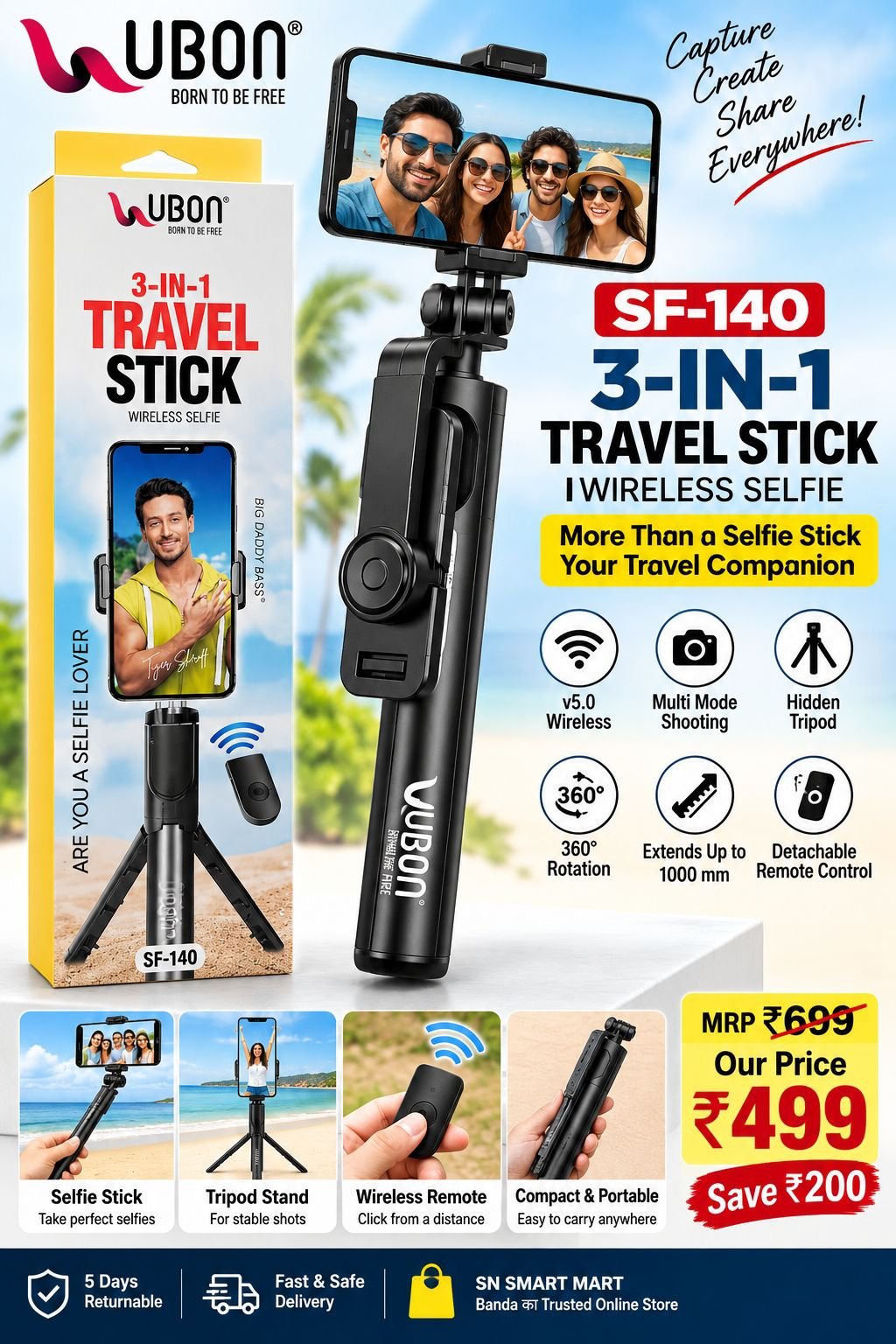
The UBON SF-140 3-in-1 Travel Stick Wireless Selfie combines a selfie stick, tripod and wireless remote control in one compact design.
Its built-in hidden tripod allows you to place your phone securely for hands-free photos and videos, while the detachable remote control lets you capture shots from a distance.
With 360° rotation and an extension length of up to 1000 mm, you can easily adjust your shooting angle and capture selfies, group photos and travel moments.
⭐ Key Features
- 📱 3-in-1 Travel Stick
- 📡 V5.0 Wireless Connectivity
- 🎮 Detachable Wireless Remote Control
- 📸 Multi-Mode Shooting
- 🦵 Hidden Tripod
- 🔄 360° Rotation
- 📏 Extends Up to 1000 mm
- 🎒 Compact & Portable
- 👥 Ideal for Selfies & Group Photos
- ✈️ Convenient Travel Companion
📋 Specifications
| Specification | Details |
|---|---|
| Brand | UBON |
| Model | SF-140 |
| Product Type | 3-in-1 Travel Stick / Wireless Selfie Stick |
| Material | Stainless Steel + ABS |
| Total Length | 1000 mm |
| Folded Length | 190 mm |
| Product Weight | 150 g |
| Remote Battery | CR1632 (Replaceable) |
| Rotation | 360° |
| Wireless Version | V5.0 |
| Android Compatibility | Android 4.2.2 and above |
| iOS Compatibility | iOS 5.0 and above |
| Colour | Black |
| MRP | ₹699 |
| Selling Price | ₹499 |
| Return Policy | 5 Days Returnable |
🎯 3-in-1 Functionality
1. Selfie Stick
Extend the stick and capture selfies or group photos from a wider angle.
2. Tripod
Open the built-in tripod legs and place the stick on a stable surface for hands-free photography.
3. Wireless Remote
Remove the wireless remote from the stick and use it to take photos from a distance.
📖 How to Use
Step 1 – Power On the Remote
Press and hold the camera button on the remote for about 3 seconds to switch it on.
Step 2 – Pair with Your Smartphone
Turn on Bluetooth/wireless connectivity on your smartphone and search for the selfie stick remote. Select the available device and complete pairing.
Step 3 – Mount Your Phone
Place your smartphone securely in the phone holder and adjust it to the desired angle.
Step 4 – Take Photos
Open your phone’s camera and press the button on the wireless remote to capture photos.
Step 5 – Use as a Tripod
Open the hidden tripod legs, place the selfie stick on a stable surface and use the detachable remote to capture photos from a distance.
Step 6 – Adjust the Angle
Use the 360° rotation mechanism to adjust the smartphone to the desired shooting angle.
📦 What’s in the Box
- 1 × UBON SF-140 3-in-1 Travel Stick
- 1 × Detachable Wireless Remote Control
⚠️ Important Information
- Keep the product away from water and excessive moisture.
- Do not drop or subject the product to strong impact.
- Make sure the smartphone is securely mounted before use.
- The wireless remote uses a replaceable CR1632 battery.
- For best stability, use the tripod on a flat and stable surface.
🔄 SN SMART MART Return Policy
5 Days Returnable
The product can be returned within 5 days, subject to the applicable SN SMART MART Return & Refund Policy and product condition.


Reviews
There are no reviews yet.